Account Management
Learn how to reset your account data or permanently delete your account in the Amivo app. Follow our step-by-step guide with visual instructions to manage your account settings.
Introduction
This guide will help you manage your account in the Amivo app developed by therapyamigo. You can either reset your account data or permanently delete your account.
Need Help?
If you have any questions or need assistance, please contact us at support@therapyamigo.com
Important Notes:
- Resetting account data will clear all your app data but keep your account active
- Deleting your account will permanently remove your account and all associated data
- Both actions cannot be undone, so please proceed with caution
Reset Account Data
Resetting your account data will clear all your app data including chat history, journal entries, assessments, and other personal information. Your account will remain active, but you'll need to start fresh.
Warning:
This action will permanently delete all your data in the app. This cannot be undone. Make sure you want to proceed before confirming.
Navigate to Your Profile
Open the Amivo app and navigate to your profile screen. You can access your profile from the bottom navigation bar.
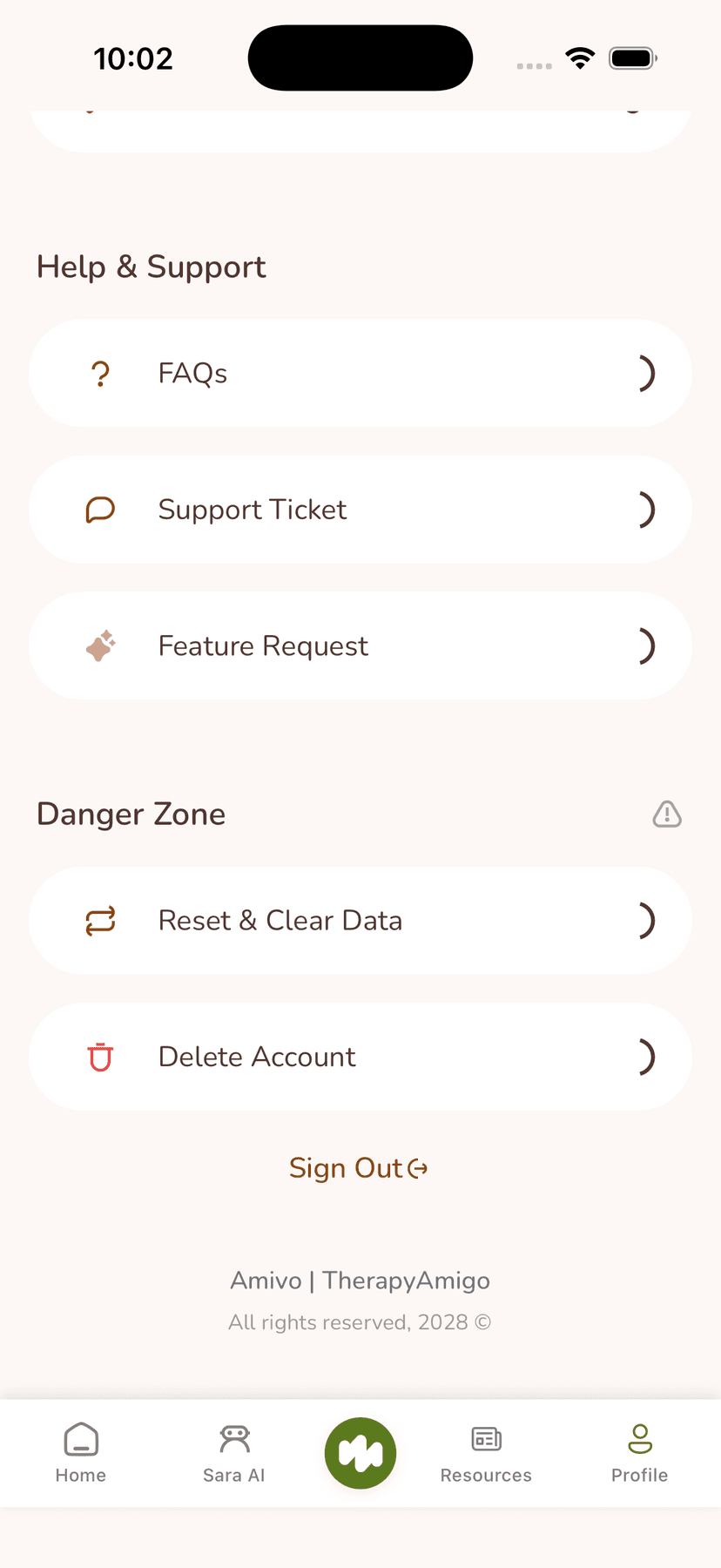
Access Settings
From your profile screen, tap on the settings icon or navigate to the settings section to access account management options.
Select Reset Account Data
In the settings menu, locate and tap on the "Reset Account Data" option. This will initiate the reset process.
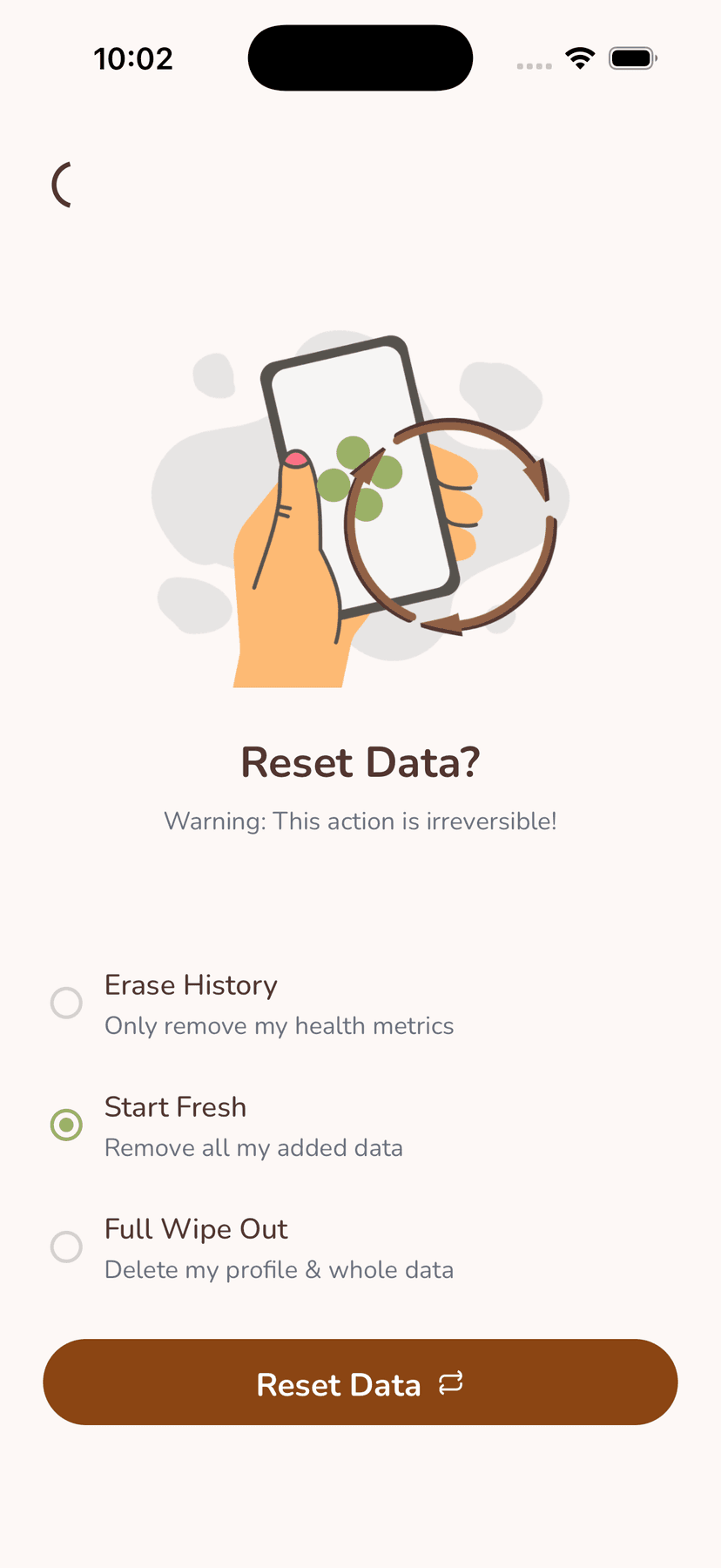
Confirm Reset
You will be shown a confirmation screen warning you about the data loss. Read the warning carefully and confirm if you want to proceed. Once confirmed, all your account data will be permanently deleted.
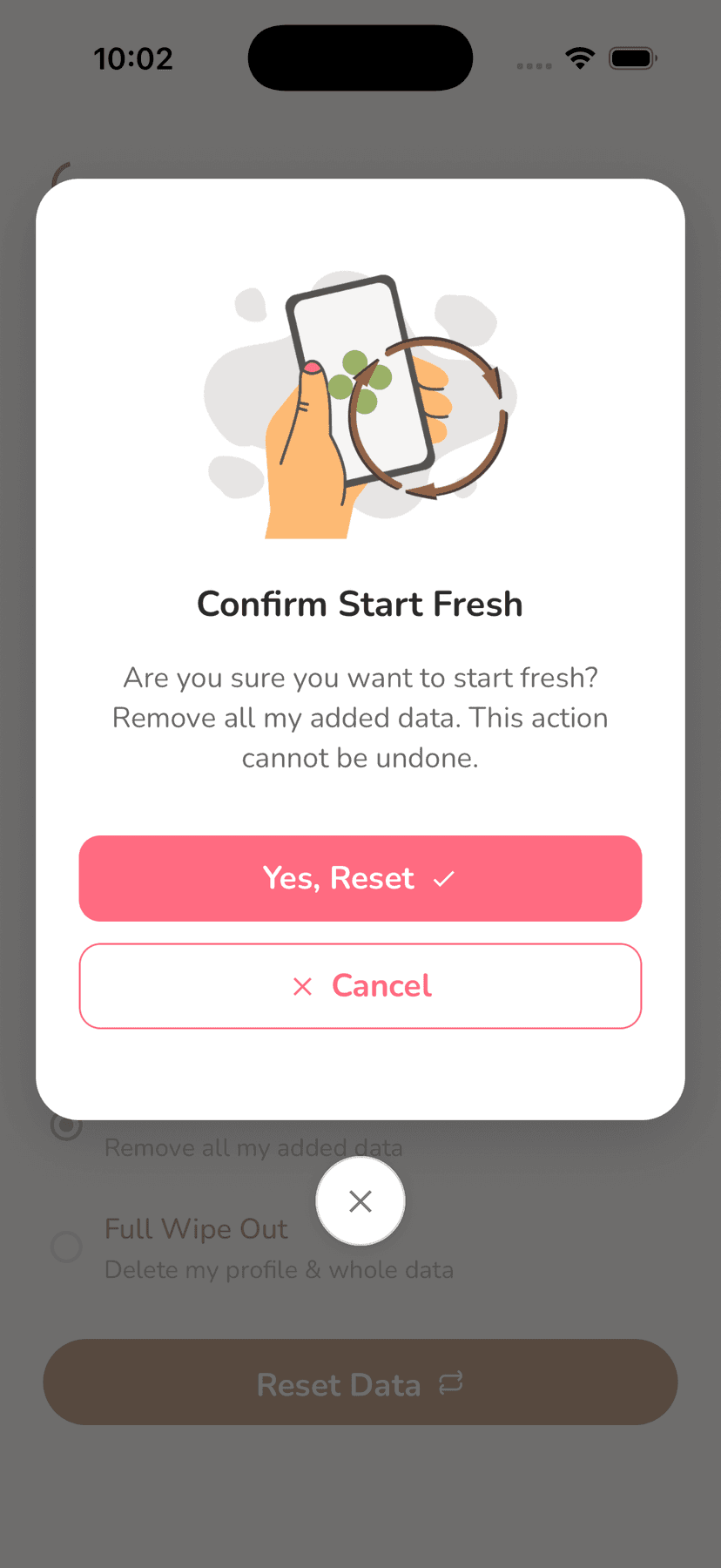
Delete Account
Deleting your account will permanently remove your account and all associated data from our systems. This includes your profile, chat history, journal entries, assessments, and any other information stored in your account.
Critical Warning:
This action is permanent and irreversible. Once you delete your account, you will not be able to recover any data. If you have an active subscription, please cancel it before deleting your account.
Navigate to Your Profile
Open the Amivo app and navigate to your profile screen. You can access your profile from the bottom navigation bar.
Access Settings
From your profile screen, tap on the settings icon or navigate to the settings section to access account management options.
Select Delete Account
In the settings menu, scroll down to find the "Delete Account" option. Tap on it to begin the account deletion process.
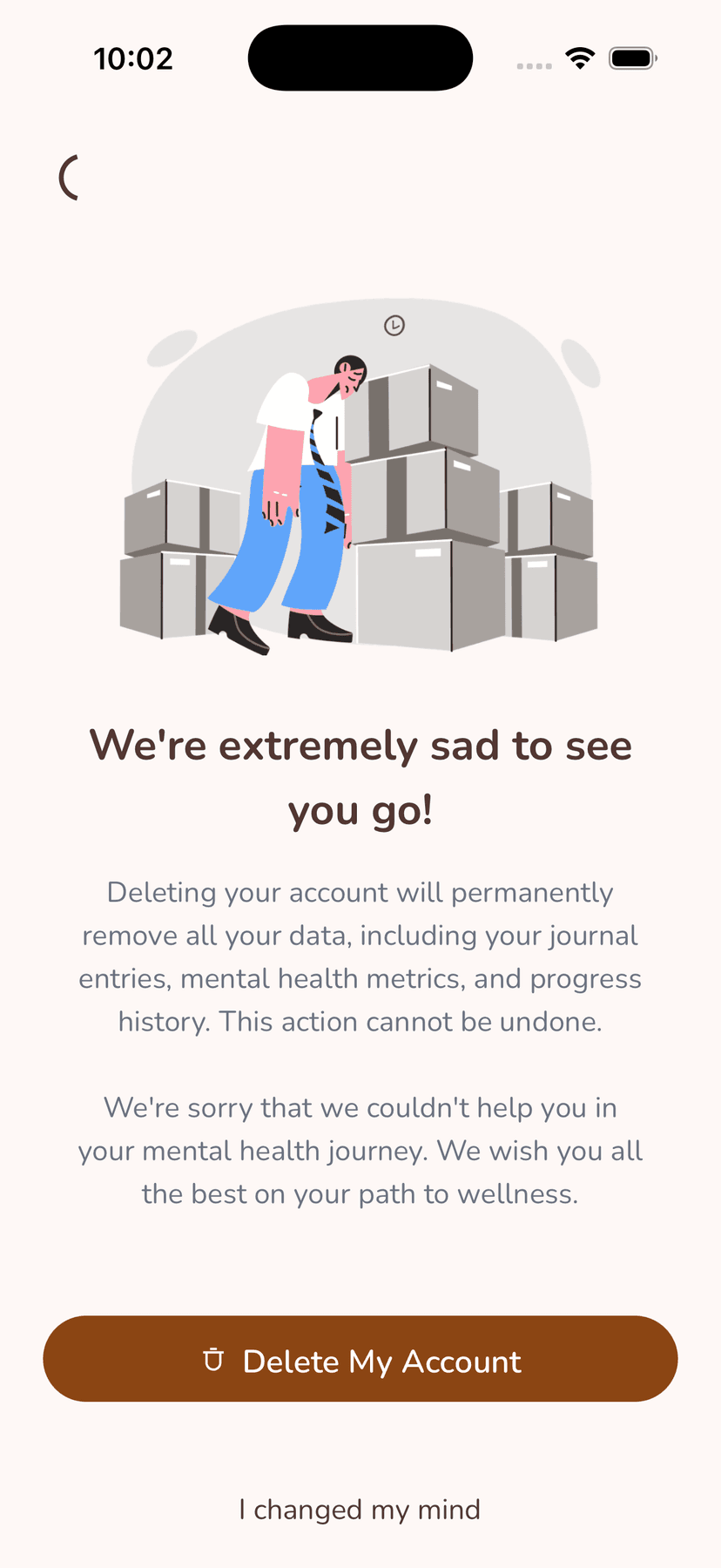
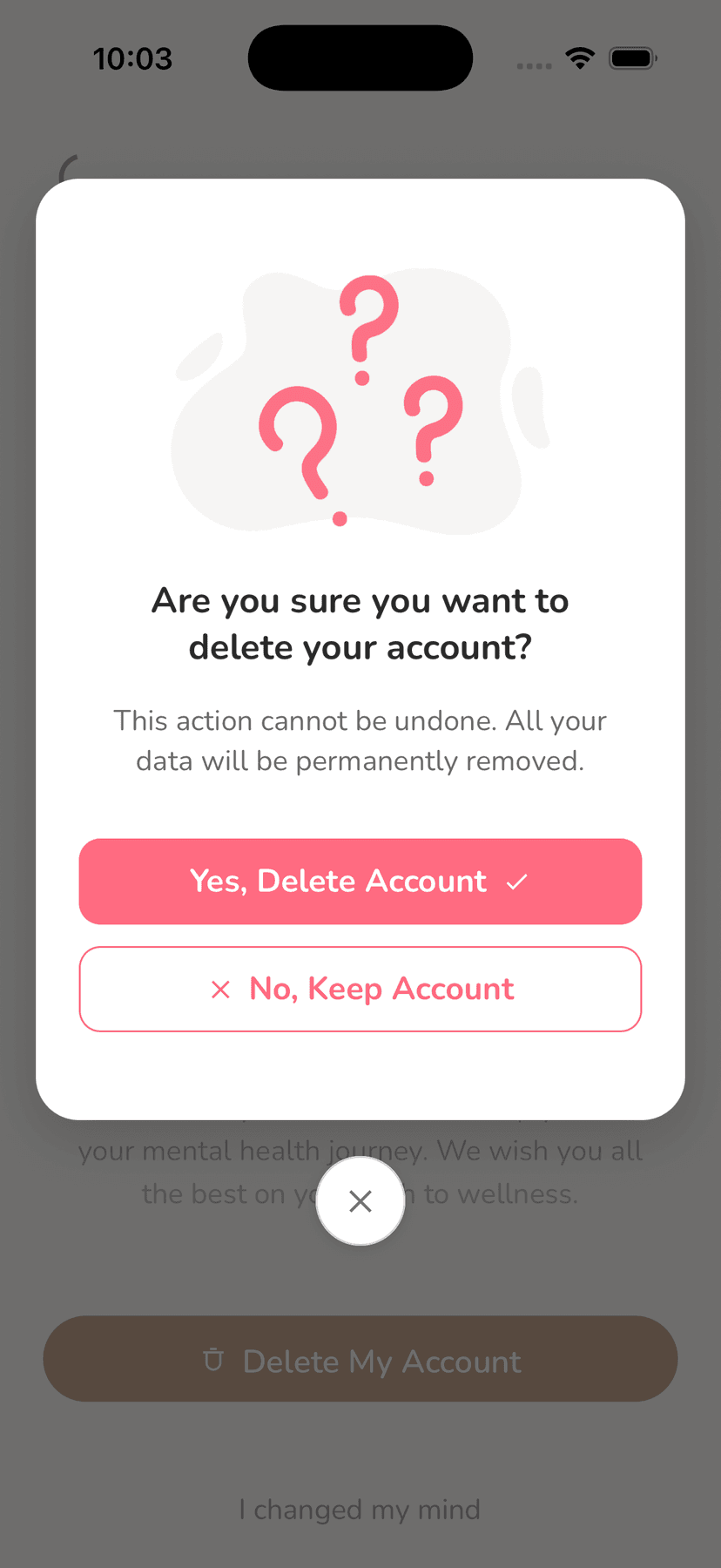
Confirm Deletion
You will be shown a final confirmation screen with a warning about permanent account deletion. Read the warning carefully. If you are sure you want to proceed, confirm the deletion. Your account and all associated data will be permanently removed.
Support & Contact
If you need assistance with account management or have questions about resetting or deleting your account, we're here to help.
Response Time
We typically respond to support inquiries within 2-3 business days. For urgent matters, please mark your email as urgent.
Before Contacting Support
Please make sure you have reviewed this guide thoroughly. If you're experiencing technical issues, try restarting the app first. For account-related questions, include your account email address in your support request.